
In Landonline Survey, contractors associated to a firm are now able to view all surveys, including the captured data.
This means that contractors using the Landonline Survey application will have read-only view of all the firm’s surveys, including those they are not assigned to as an enabled user.
Instead of making an external user a Contractor to your firm, enable them as an External user on the appropriate datasets. This will set them up so they only have access to those specified datasets. The CSD reference(s) will appear in their My survey tab, on their My Work page.
How to enable an external user to a survey
- Open the survey you want to enable the "contractor" to.
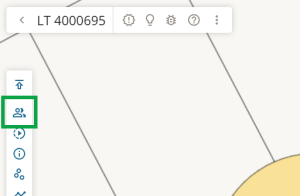
Select the Enabled users icon on the Workflow control bar.
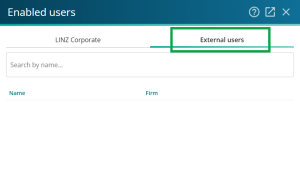
The Enabled users panel will open. Select the External users tab.
Search for the external user ("contractor") by entering their surname, a comma, and then given name(s) in the Search by name field.
Note: The list of user's names will be filtered as more characters are entered into the search field.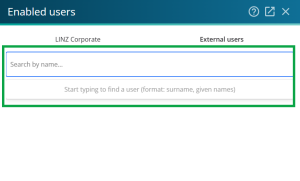
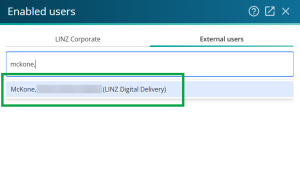
Select a name from the list of users to add them as an enabled external user on the dataset. As an enabled external user, they will only have access to work on this specified dataset, and won't see any of the firm's other work. The CSD reference will appear in the user's My survey tab, on their My Work page.
- Complete the above steps on each dataset you want the "contractor" to have access to.


